Deleting a Company
You use the delete company function to completely remove an e-automate database from the server. This is a permanent action and can only be rectified if you have a database backup. You should use this functionality with extreme care. Once a company is deleted it is permanently removed from SQL Server or SQL Express as well as e-admin.
Log in to e-admin.
From the e-admin menu, select File > Delete company or click the [Delete] button if your e-admin tool bar is displayed. e-admin opens the Create Company window.
Select the company you want to remove and select Company > Delete Company from the menu. If your e-admin toolbar is displayed, you can click [Delete] on the toolbar after you have selected the company you want to delete.
E-admin opens the Enter Admin Password window. In order to perform this function you must have the Admin password.
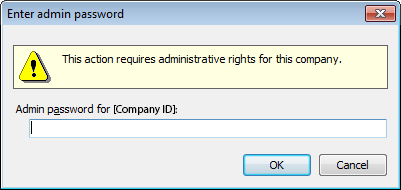
Enter the password and click [OK].
e-admin displays the following windows reminding you of the irreversible nature of the delete action.
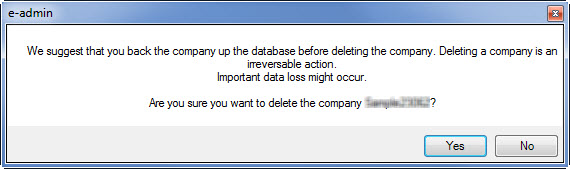
Click [Yes] to continue with the delete action or click [No] to cancel the delete action.
e-admin displays a final reminder
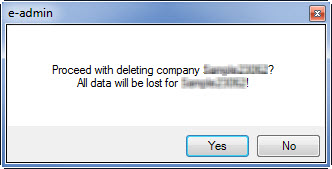
If you are sure you want to delete the company click [Yes], if you are not sure, click [No].
Once your company is removed, e-admin displays a message telling you the company has been removed.
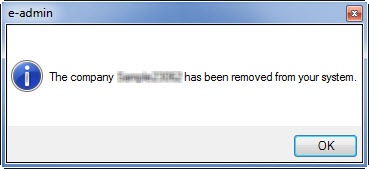
Click [OK] to acknowledge and complete the process.
Release Support Ends July 31, 2026Release Support Ends July 31, 2026
©2026 ECI and the ECI logo are registered trademarks of ECI Software Solutions, Inc. All rights reserved.